
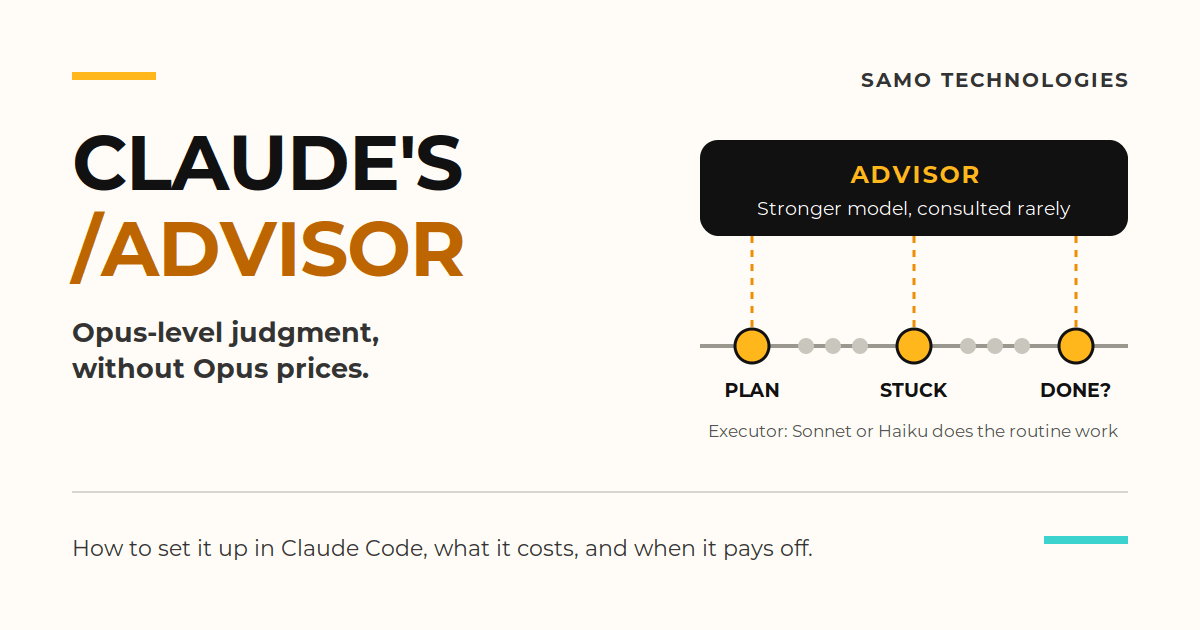
Most AI coding sessions are mostly routine. Read a file, run a test, fix an import, run the test again. A handful of moments decide whether the whole session succeeds: choosing the approach, untangling an error that keeps coming back, and deciding whether the work is actually done.
Claude Code's /advisor command is built for those moments. It pairs your everyday model with a stronger one that Claude consults only when the decision matters. Here is what it does, how to turn it on, and how I would roll it out on a small engineering team.
What /advisor actually does
The advisor is a second model that your main model can ask for guidance in the middle of a task. According to Claude Code's documentation, Claude tends to consult it before committing to an approach, when an error keeps recurring, and before declaring a task complete. The advisor receives the full conversation, including every tool call and result, and returns guidance that Claude applies before continuing.
Two details are easy to miss:
- The advisor never touches your code. It does not call tools or write output for you. It reads the transcript and returns a plan, a correction, or a signal to stop, as Anthropic explains in The advisor strategy.
- Typing
/advisordoes not ask the advisor anything. The command only chooses which model acts as the advisor. Claude decides when to call it, though you can ask in plain language, as the documentation notes.
This flips the familiar orchestrator pattern. Instead of a large model directing a team of smaller workers, a faster, cheaper model does the work and escalates only when it needs judgment.
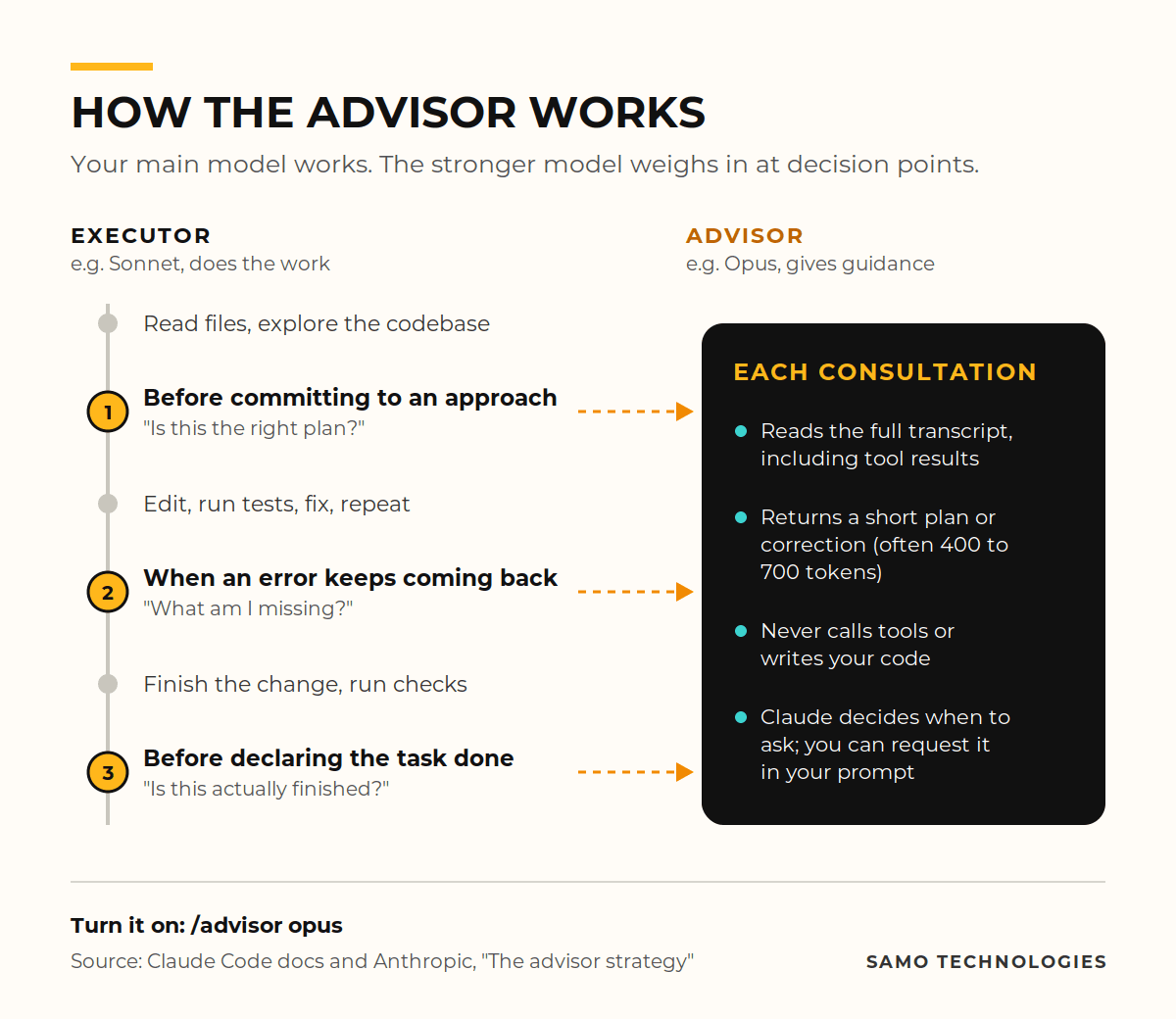
The executor does the routine work and consults the advisor at decision points. Based on Claude Code's documentation and Anthropic's advisor strategy article.
Why founders should care: the cost math
Running the strongest model for every turn is expensive, and much of that spend goes to routine steps. If inference costs already shape your unit economics, that matters. With the advisor, frontier-level reasoning applies only at decision points.
Anthropic reports that in its evaluations, Sonnet with an Opus advisor scored 2.7 percentage points higher on SWE-bench Multilingual than Sonnet alone while reducing cost per agentic task by 11.9% (Anthropic). On BrowseComp, Haiku with an Opus advisor scored 41.2%, compared with 19.7% for Haiku alone (Anthropic).
Treat those as vendor benchmarks, not a promise for your codebase. They used specific older model versions and test setups. The reason to try the advisor is that it gives you a cheap way to find out what it does for your own work.
The mechanism behind the savings is simple. The advisor typically produces a short plan of about 400 to 700 text tokens, while the executor writes the full output at its lower rate (Claude Platform docs).
How to turn it on in Claude Code
There are three ways to set the advisor, according to Claude Code's documentation.
1. The slash command (most common). Inside a session, run:
/advisor
This opens a picker showing your current choice, the models that can advise, and a No advisor option. To skip the picker, name the model directly:
/advisor opus
Claude Code confirms with Advisor set to and the model name, and saves your choice as your default for future sessions. The command accepts fable, opus, sonnet, or a full model ID (Claude Code commands).
2. A persistent setting. To make it a default without opening a session, add this to your settings file:
{
  "advisorModel": "opus"
}
3. A one-session flag. To try it once without changing your saved default:
claude --advisor opus
Once enabled, Claude Code shows a notice that the experimental advisor tool is on and may use more tokens. To turn it off, run /advisor off or choose No advisor in the picker (Claude Code docs).
Pick a pairing that fits the work
The advisor must rank at or above your main model; Claude Code checks the pairing and will not attach an advisor that is less capable (Claude Code docs). The documentation suggests these common pairings:
| Pairing | Best for |
|---|---|
| Sonnet main + Opus advisor | Everyday development: Sonnet does the routine work and escalates planning, confusing failures, and completion checks |
| Haiku main + Opus advisor | The lowest-cost main model with strong planning |
| Opus main + Opus advisor | High-stakes work where an independent second check matters more than cost |
| Sonnet main + Sonnet advisor | A low-cost second opinion that catches routine oversights |
For most startup teams, I would start with the first one:
/model sonnet
/advisor opus
What you will see during a session
When Claude consults the advisor, the transcript shows an Advising line with the advisor's model name. When the call finishes, it shows whether the advisor reviewed the conversation, declined, or was unavailable. Press Ctrl+O to read the advisor's guidance (Claude Code docs).
Read that guidance occasionally, especially in your first week. It is one of the clearest views you will get of where your tasks are hard.
Claude does not follow the advice blindly. If a recommended step fails or a file contradicts the advice, Claude surfaces the conflict rather than following the guidance unconditionally, according to the documentation.
How to prompt for it
There is no setting that forces or caps advisor calls in Claude Code. If you want more or fewer consultations, say so in your instructions (Claude Code docs). Prompts that work well:
- "Before you start, consult the advisor on the approach."
- "This test keeps failing. Check with the advisor before trying another fix."
- "Have the advisor review the change before you tell me it's done."
A useful habit is to put the third request into your team's project instructions. A completion check from a stronger model is cheap insurance against a confident but wrong "done," and it reduces the review burden that AI coding agents create.
When the advisor is worth it, and when it isn't
The advisor helps most on long, multi-step tasks where most turns are routine but the plan determines the outcome. The documentation names large refactors, recurring debugging problems, and work you want checked independently before it is marked done (Claude Code docs).
It adds less on short tasks with little to plan. If every step needs the strongest model, switch the main model with /model instead.
It also helps to know how it differs from related features:
| Approach | When the stronger model runs |
|---|---|
/advisor | At decision points mid-task, when Claude calls it |
opusplan | During plan mode, then Sonnet executes |
Subagent with a model set | For the entire delegated subtask |
/model | Every request from then on |
Source: Claude Code docs.
Practical caveats before you roll it out
- It is experimental. Behavior, pricing, and availability may change. It requires the Anthropic API, Claude Platform on AWS, or Claude Models on Google Cloud (Anthropic managed). It is not available on Amazon Bedrock, Google Cloud's Agent Platform, or Microsoft Foundry (Claude Code docs).
- It costs extra when it runs. Each call is billed at the advisor model's rates on API billing, or counts toward your plan's usage limits on subscriptions. Advisor usage appears in
/usage(Claude Code docs). - Your prompt cache is safe. Turning
/advisoron or off mid-session does not invalidate your main model's prompt cache, unlike switching models (Claude Code docs). - Admins can switch it off. Setting
CLAUDE_CODE_DISABLE_ADVISOR_TOOL=1disables the feature entirely (Claude Code docs).
Building agents? Use the API version
If you are building your own agent rather than using Claude Code, the same capability is available as a server tool in the Messages API. Add the advisor_20260301 tool with the advisor-tool-2026-03-01 beta header, and the handoff happens inside one request (Claude Platform docs):
import anthropic

client = anthropic.Anthropic()

response = client.beta.messages.create(
    model="claude-sonnet-5",          # executor
    max_tokens=16000,
    betas=["advisor-tool-2026-03-01"],
    tools=[
        {
            "type": "advisor_20260301",
            "name": "advisor",
            "model": "claude-opus-5-5",  # advisor
            "max_uses": 3,
            "max_tokens": 2048,
        },
        # ...your other tools
    ],
    messages=[{"role": "user", "content": "Refactor the billing module..."}],
)
Two cost settings matter here. max_uses caps advisor calls per turn, not per conversation, so count calls yourself if you need a hard ceiling. The documentation recommends max_tokens: 2048 on the advisor as a starting point; in Anthropic's tests, that cut advisor output about sevenfold with near-zero truncation (Claude Platform docs).
Anthropic also suggests running your evaluation suite three ways: executor alone, executor with an advisor, and the advisor model alone (Anthropic). That comparison gives you a real decision instead of a guess.
A one-week rollout plan
- Pick one recurring workflow that is long enough to involve real decisions, such as a refactor or a bug-fix-and-test cycle.
- Enable
/model sonnetand/advisor opusfor the engineers doing that work. - Add one instruction: "Consult the advisor before committing to an approach and before declaring done."
- Compare against recent similar work: rework, review comments, time to a mergeable change, and token spend in
/usage. - Decide: keep it on by default, use it only for certain work, or turn it off.
The advisor is not magic. It is a cheap way to put stronger judgment at the few points where judgment decides the outcome. For a small team trying to ship faster without paying top-tier rates on every keystroke, that is a sensible trade.
If you want help designing an AI-native development workflow for your team, start a conversation with SAMO Technologies.